

5 min read
A seamless background pattern is a tile that repeats in every direction with no visible edge. To judge examples, check four things: repeat structure, tile size, text contrast, and legibility. This guide compares common motifs, shows how to test a tile, and explains how to combine three tiles without visible seams.
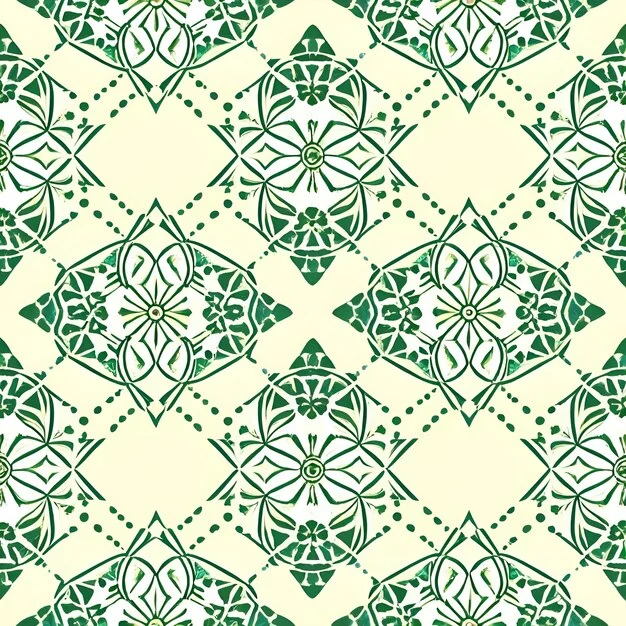
These seamless background patterns examples work as a comparison set, not as a gallery. A small geometric repeat can read as texture, while a large damask sets a quieter ground. The checks below apply to any motif, but you need to see the tile as a repeat unit rather than as a single image.
In this guide
What Is a Seamless Background Pattern?
A seamless background pattern is an image tile whose left edge matches its right edge and whose top edge matches its bottom edge. When the browser repeats the tile along both axes, the copies meet without a visible line. The W3C CSS Backgrounds and Borders Module Level 3 describes how background images repeat across an element’s padding and border areas. To draw such a tile by hand, start by drawing a motif for a seamless tile; the repeat will then fall into place. A damask pattern works as an example: its large, low-contrast motif hides the joins, so the repeat reads as one continuous ground.
The Four Checks for a Usable Tile
Before you use a tile, run it through four checks.
- Repeat structure. Look for edge alignment first. If the motif crosses an edge, the copy on the opposite side must continue it cleanly.
- Tile size. Small tiles create density; large tiles need more negative space to keep the page from feeling busy. A 64–128 px geometric tile repeats more times across a viewport than a 200–400 px damask, so its visual weight changes.
- Contrast ratio. WCAG 2.2 sets a minimum contrast ratio of 4.5:1 for normal text. If your background sits behind text, compare the lightest part of the tile against the text color.
- Legibility. Check three sample text sizes on the tile. Busy motifs with high contrast in value, hue, or saturation compete with words, but a quiet motif with enough negative space leaves the text clear.
These checks are useful for any seamless tile pattern design because they separate visual appeal from function. A pattern can be attractive on its own and still fail as a webpage ground.
Seamless Pattern Examples by Motif
These website seamless background examples show how motif choice changes repeat scale, contrast, and legibility. Owen Jones, in The Grammar of Ornament (1856), organized ornament by repeated units and underlying geometry; his approach still helps you read a screen tile. The table below uses that repeat-first view. See also Owen Jones and 19th-century ornament.
| Motif | Origin | Typical tile size | Contrast | Where it works |
|---|---|---|---|---|
| Damask | Two-tone silk pattern named for Damascus; common in 19th-century ornament | 200–400 px | Low to medium | Large page grounds, headers, cards |
| Geometric | Repeat units of lines, polygons, and grids; common in historical tilework | 64–128 px | Often high | Sidebars, small panels, texture backgrounds |
| Floral | Block-printed wallpaper motifs; William Morris used soft floral repeats | Medium to large, scaled to the bloom | Low to medium | Section backgrounds, stationery-style pages |
| Organic | Irregular leaf, fiber, or stone shapes with uneven edges | Small to medium | Low when values are close | Quiet grounds that need subtle variation |
A damask reads best when contrast stays low because the large motif already carries the design. A geometric pattern at 64–128 px can read as a texture, but if the value difference is too high, text placed on it fights the grid. A hand-drawn motif can move from paper to tile with the same edge checks; see building a repeat by hand. An organic motif often starts from scanned paper or fiber; see mixing materials into a repeat motif.
How to Combine Three Tiles Without Visible Seams
Combining three tiles is a stacking problem, not just a drawing problem. CSS lets you layer multiple background images on one element, and MDN Web Docs lists background-repeat values such as repeat, no-repeat, space, and round. The first background in the declaration sits on top; the last one sits at the bottom. The W3C module defines this stacking order for background layers.
- Draw each motif as a square or near-square tile, and test each one alone with
background-repeat: repeat. - Fix any edge mismatch on each tile before you stack it. A seam in one tile will show through the whole stack.
- List the three backgrounds in one CSS rule, separated by commas. Put the most detailed motif first.
- Give each layer its own
background-repeatandbackground-position. For example, set the top layer torepeat, the middle layer torepeat-x, and the bottom layer torepeat. - Check every combination in a 2×2 grid at 100 %. Inspect the seams before you inspect the motif; if the seams are clean, the repeat works.
This seamless repeat css approach keeps three motifs legible by controlling which repeat direction belongs to each layer. If one tile has a visible vertical edge, a repeat-x layer can still work as a horizontal band.
How to Test a Tile Before You Ship It
Run the tile through a short checklist before you add it to a page. Test it at the actual size you intend to use, not just as a large preview.
- Place four copies in a 2×2 grid at 100 % and look at the four internal edges before the motif.
- Lay sample text in three sizes over the tile and check that smaller sizes stay legible.
- Measure contrast between the background’s lightest area and the text color; the ratio should meet the WCAG 2.2 minimum of 4.5:1 for normal text.
- Zoom out and view the tile as a texture. If you can locate the repeat immediately, the motif or value contrast is probably too strong for text.
The same tile can be exported as a PNG, SVG pattern, or CSS background image. For the contrast step, the same value relationships explained in how color contrast works apply to background and text. A tile that passes all four checks is ready; if it fails one, adjust the motif before you adjust the page layout.
A Short History of Repeating Patterns
Owen Jones treated repeating ornament as a grammar of line, symmetry, and interval in 1856. William Morris pushed floral repeats in block-printed wallpaper and fabric, often choosing large motifs that hid registration errors. In the late 1990s, a site called Backgrounds by Marie, active from 1999 into the 2000s, published repeating page backgrounds for personal pages. Before CSS handled repeat natively, designers tiled images by hand in HTML attributes; later, the W3C module defined the background-repeat and background-position pair.
FAQ
What is a seamless background pattern?
A tile that repeats in all directions with no visible edge between copies.
How do I know if a background pattern is seamless?
Place four copies in a 2×2 grid at 100 % and inspect the seams before the motif.
What is a good tile size for a seamless web background?
64–128 px for geometric tiles and 200–400 px for large motifs such as damask, depending on the repeat.
Why do background patterns make text hard to read?
High contrast, busy motifs, and small tiles compete with text; a 4.5:1 contrast ratio helps keep text legible.
Sources
- W3C CSS Backgrounds and Borders Module Level 3
- MDN Web Docs: background-repeat
- W3C Web Content Accessibility Guidelines (WCAG) 2.2, contrast minimum
- Owen Jones, The Grammar of Ornament (1856)
- William Morris, referenced as a historical designer of repeating floral patterns


Keep reading